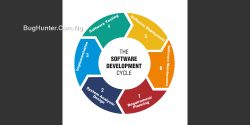
If you work in a development environment where the Agile approach is in practice, then deployment in small batches of code is not a new thing. But there are some best practices you must adhere to when you want to have a high success rate on every deployment. Read this to know What is Software Testing? and How to Write a Good Bug Report. Another write-up you will find very interesting is what you need to know about Software Development Life Cycle. This article will point out some of the best practices for Application Deployment.
Below are some of these best practices that you can follow
1. Setup Different Environments
Make sure you have a development environment where all your developers can test their jobs after testing on their local environment. Setup a testing environment where you can carry out quality assurance on the application under development and a user acceptance test environment where further quality checks can be carried out, most times this is the stakeholder environment to test the completed application or some application modules before finally going to the production environment for public consumption.
2. Integrate an ITSM tool into your Environment
This tool is very good for creating a Change Request for a deployment going to the Production Environment. This change request will go through different approvals before the final release to Production. An example of an ITSM too is ServiceDesk Plus from ManageEngine,
3. Setup an Automation Pipeline
Automating your Continuous integration and deployment can improve the deployment process, but it is not compulsory. When you have an Automation tool set up for this purpose will reduce all the errors that occurred during the manual process.
Creating a script that will always run whenever there is a code change will reduce all the stress that is attached to deployment.
A CI/CD tool like Jenkins will allow you to write a deployment script for the CI/CD pipeline and whenever a developer merges a feature to a Release or Production branch, it will automatically trigger a deployment to Production.
4. Setup an Automation Test into CI/CD Pipeline
You can use tools like Cypress or Selenium to create automation testing into your CI/CD Pipeline. This will make a lot of sense by the time there is a code change or a new code that’s merged into a release or production branch it will be automatically tested before pushing the code for deployment.
If the test fails, then deployment cannot continue until there is a fix for the issue.
5. Setup Deployment Notifications/Alerts
A Deployment notification or alert will always inform the team when a deployment has started, failed, or been completed successfully. With a tool like Bamboo, you can easily get notifications through email and any other team messaging platform.
It is also very easy to trace a particular commit that may have caused a failed deployment.
6. Have a Roll-back Plan
It is very important to have a deployment plan and one essential part of that plan is the Roll-back plan that will state all necessary procedures to be taken when a deployment fails on Production. The Roll-back plan will state the person responsible for rolling back the deployment if an error occurs in production.
7. Have a Deployment Windows
Deployment windows will restrict the days and times that builds may be deployed to Production. If you have a build that needs to be pushed to Production and not within the deployment window will have to wait until the deployment window.
But an exception can be given when there is a need for a quick fix that needs to be deployed urgently to Production but the same must follow all laid down deployment processes and procedures.
Deployment windows must be during the off-peak period and when operations have closed. If a deployment is done during operations this may disrupt the entire business operations.
Please note that all builds going to production whether a quick fix or not must go through quality assurance which includes proper testing.
I hope you found this blog post on the Best Practices for Application Deployment Interesting and helpful. In case you have any questions do not hesitate to ask in the comment section.